
Different Search Techniques
Concept, Fielded, and Lookup Patents help guide and craft inputs, while Command line allows for complex commands to be typed out and run.
Fielded Search
Fielded search is a guided fielded search form similar to advanced search pages in other search systems. For a more detailed, in depth how-to, see the fielded search page here. This guided experience can help create complex queries without having deep knowledge of the commands and structure within Quartet.
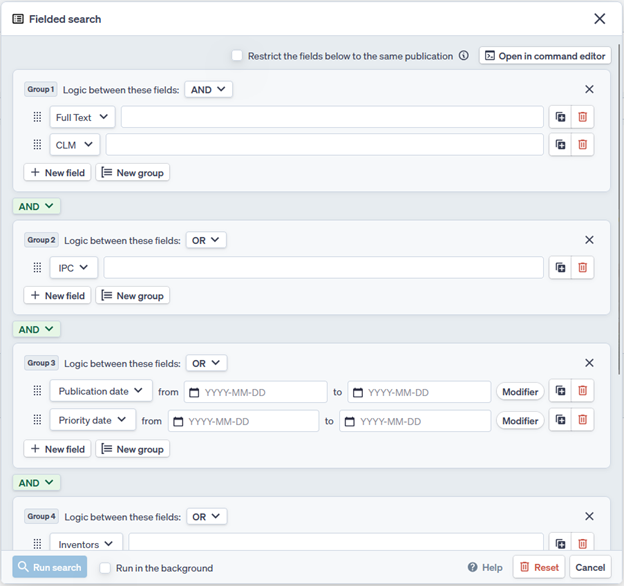
Fielded search provides a series of groups and fields, which are connected with Boolean operators. The relationships between the fields within a group can be changed between AND and OR. The relationship between groups can be defined with either an AND or a NOT operator.
Additional groups and fields can be added, and fields can be moved between groups with the grab handle dots  located on the left side of the field.
Fields left blank will not be searched or included, so there is no need to delete the extra fields each time.
Concept Search
Concept Search uses cutting-edge natural language processing models to match text input to documents that may be relevant to the entered text. This is not the same as the old keyword searching, or previous lackluster semantic search modules. Natural language processing through machine learning looks at sentences, phrases, and paragraphs and attributes meaning and context to the passages of text. It will look for other documents with the same meaning and context even if it uses different terminology.
Within the Concept Search form, freely enter text to describe the invention, while using optional filters to ensure the search is within the correct searching area.
The minimum length for a text input is 50 characters.
The more descriptive the input text, the better the results tend to be.
Example techniques to add context to the input description include:
- Re-describing descriptions with different words or phrasing
- Defining terms to aid the system in understanding the technological area
- Describing how things are used
- Providing a best mode of invention
Providing context around the search is very important to ensure the search is looking in the correct technological area.
The number of results that will be returned can be set from 25 to 500 records. The results will appear as a set of search query results within the Timeline, in order of relevance according to the model. The relevancy as determined by the system is shown in Results view, in the top left.
Concept Search Filters
Additionally, the Concept Search allows for a Filtering command to be used concurrently with the Concept Search. The Filtering command in essence sets a corpus of documents within which the Concept Search will search. For example, if confident that results for a desired search will fall within a certain classification area, the results may be limited from the Concept Search to be within a specific main group and all subsequent subgroups (Refer to Search Query Structure on how to run such a search query).
Filters for the Concept search can be entered using a fielded input search form similar to the Fielded search module, or the button “Open in command editor” can be used to enter filters in a command line format. The “Command input” changes the input form to a “Filtering command” box that operates the same as the Command line in that it accepts Boolean, Proximity, and Wildcard Operators and accepts line references as well as citations to line references. Any filters used with a Concept search will be shown on the Timeline underneath the input for that search query.
Lookup Patents
Lookup Patents is used to enter publication numbers to pull a set of results. Currently Quartet supports a large number of formats within the 6 largest jurisdictions: US, WO, EP, CN, JP, and KR; additional jurisdictions are supported but may not have as much flexibility in recognizing obscure or nonstandard number formats.
Entire blocks of plain text can be copied and pasted into the search box and the system will automatically detect and extract publication numbers. Detected numbers will be highlighted in green. Numbers without a country code will be highlights in yellow. If numbers missing country codes are provided, there is the optional checkbox at the top where a country code can be assigned to all numbers which don't currently have a country code.
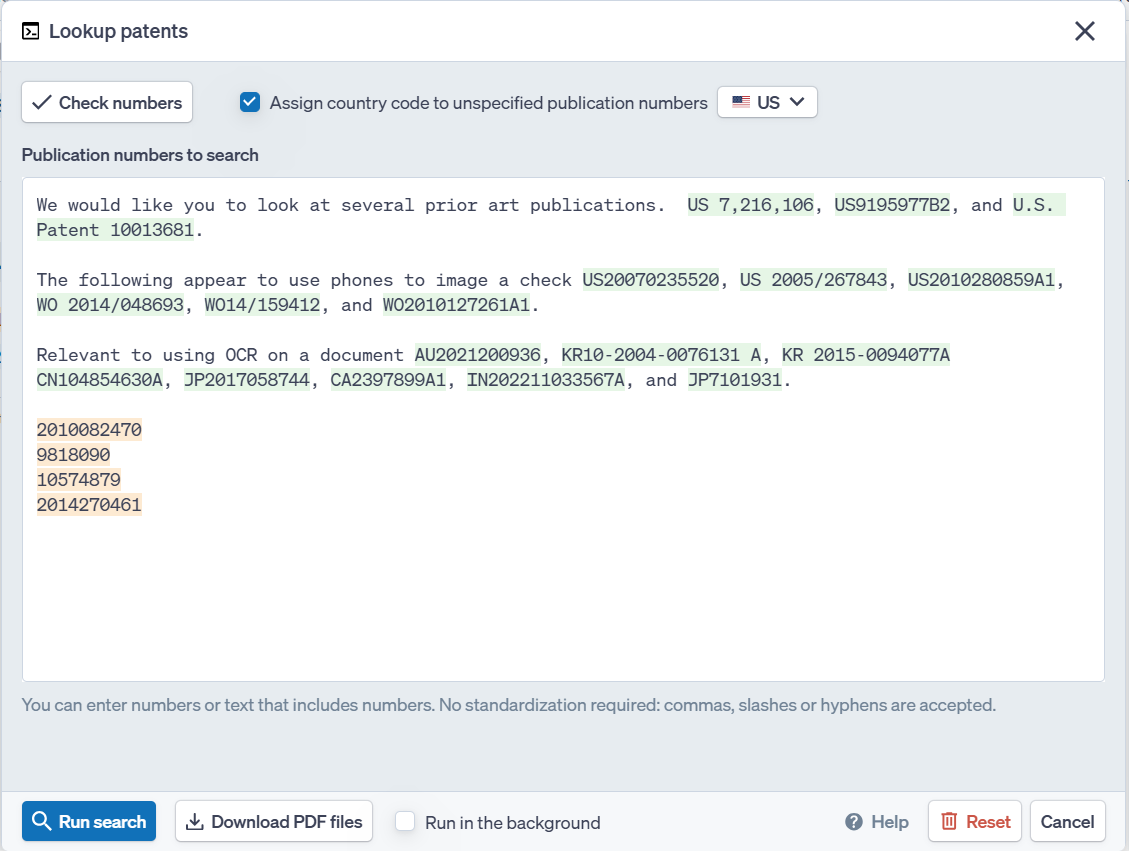
At the bottom next to Run search, it is also possible to bulk download the corresponding PDF files.
Command Line
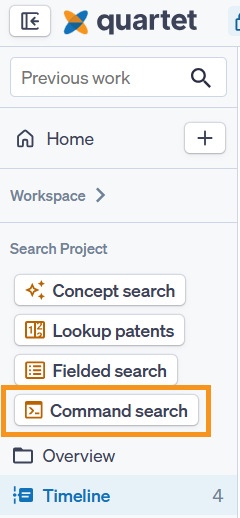
The command line is accessible in multiple places within Quartet, it can be found at the top of the Home page as a search modal, it can be found within the navigation pane on the left within a Search Project, or the modal can be brought up with the hotkey "C"
The Command line is a way to quickly input commands but requires familiarity with the command and syntax structure of Quartet.
With the Command line, search commands may be entered into the Command line to run Boolean queries with their desired search fields and keywords as well as combining or excluding other search queries from the results (See operators). The enter key or the “Run Command” button will run the command, which can be viewed on the Timeline.
A quick way to learn new syntax or commands is to create the search query within the fielded search module then use the "Open in command editor" to see what that query would look like within the command line.