Publication vs Family in Detail View
Publication Content
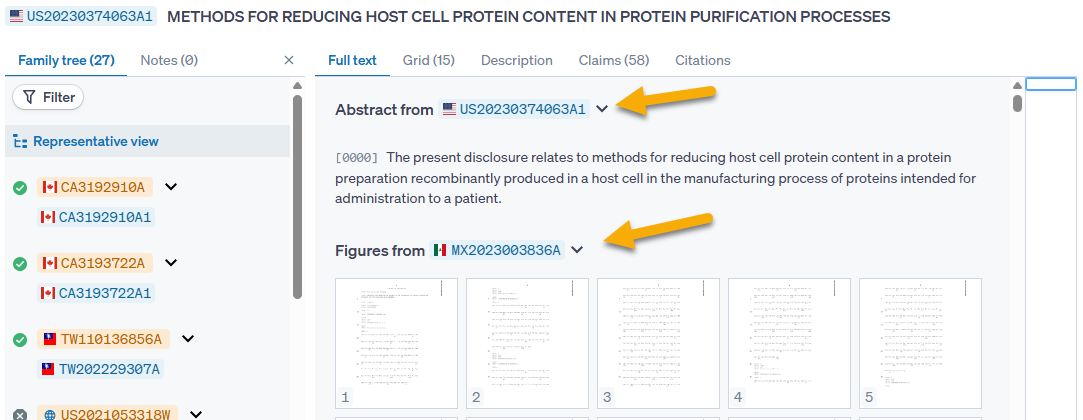
When viewing a patent family as a whole, the "Full-text" tab will show information from a representative family member for each section, however the representative family member from which information is gathered may be different for each section. If the system’s first-choice document is missing a field, the missing field will be pulled and displayed from another family member. An example of this can be seen in the family for this US document. The US document does not have figures, so they are pulled in from the MX family member instead.
When viewing a specific publication, Quartet will show information for that publication only, meaning if a publication does not have information for a particular section, such as images, that section will be blank.
Metadata
The data shown is different depending on whether a representative view of the family or a specific publication within the family has been selected.
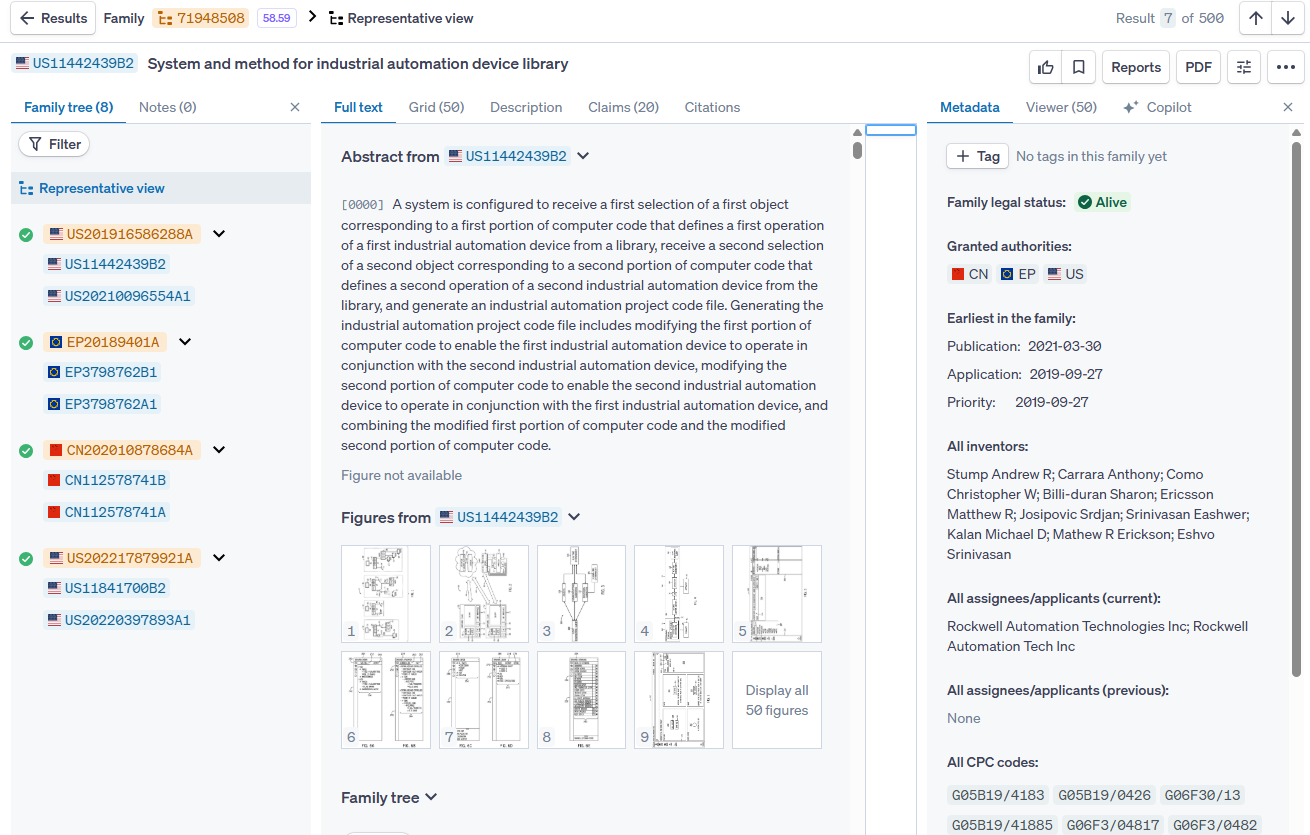
If the representative member is selected:
- The Family legal status will be shown, wherein the status will be “Alive” if at least one family member is live, and “Dead” if all family members are expired.
- "Granted authorities" will show all jurisdictions in which a patent has been granted in the family.
- The dates shown will be the earliest instance of each date in the family.
- The entity names and classification codes will be aggregated from all family members.
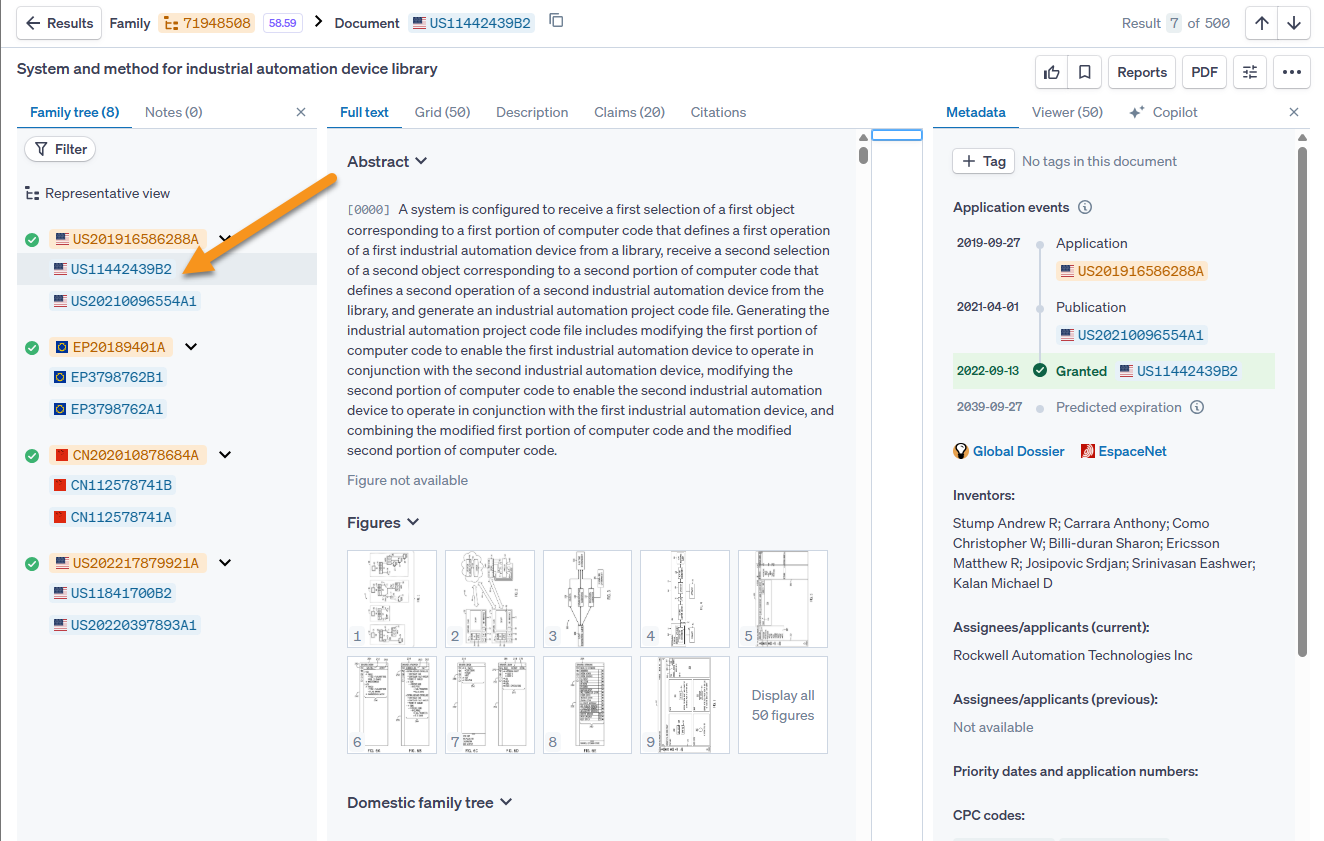
If a specific publication within the family has been selected:
- A list of application events for the specific publication will be shown, including its legal status (if available).
- The entity names and classification codes will pertain to that specific publication only.
- Priority dates and application numbers for that specific publication will be shown.