
Hotkeys
Quartet has a variety of hotkeys which allow for keyboard navigation while using the system
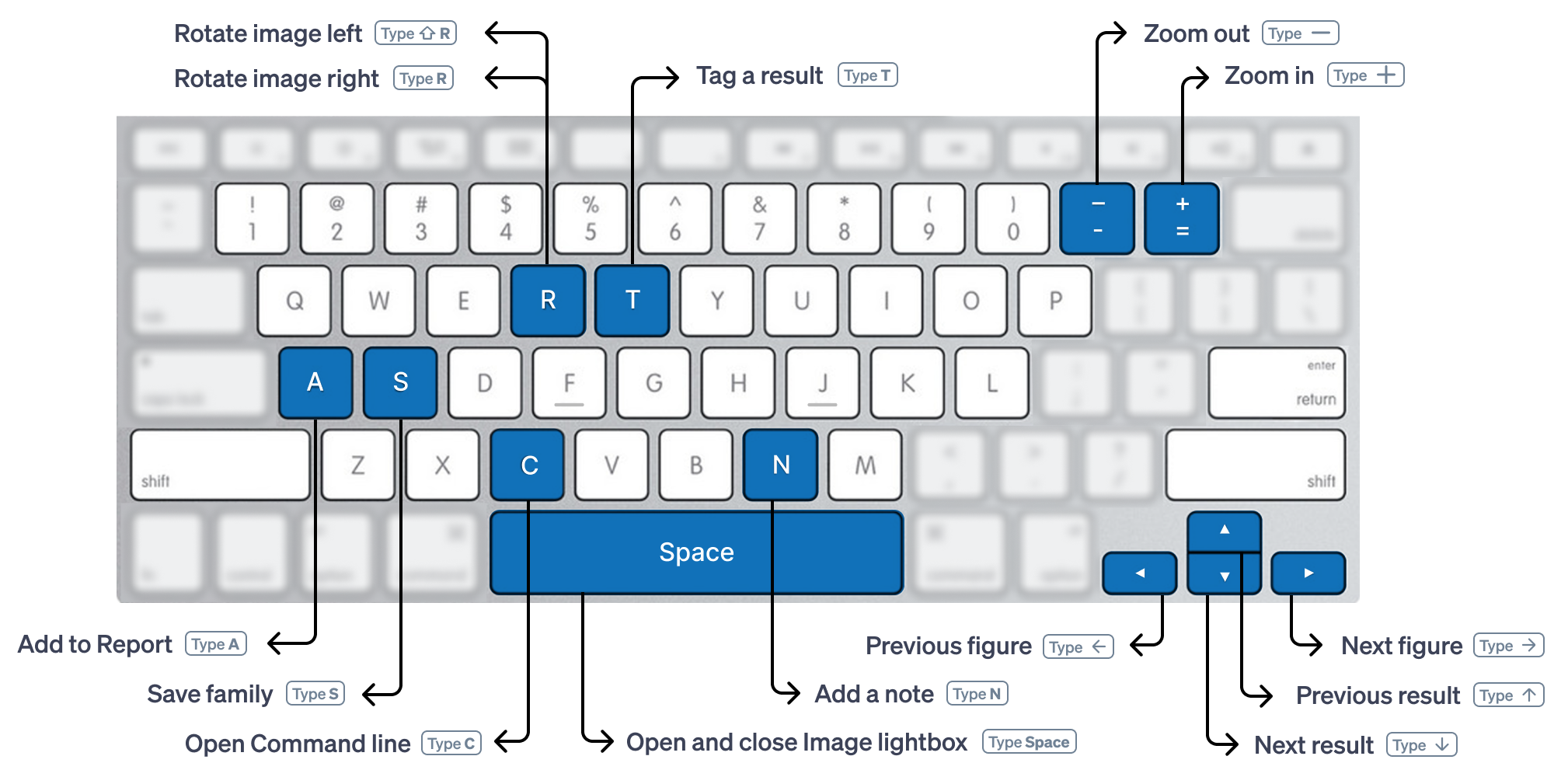
| Hotkey | Action | Where it works |
| Esc | Closes pop-ups and boxes | All screens |
| Enter | Executes command | Command line at top, command modal |
| Opens selected search line | Timeline | |
| Enters detailed view | Results view | |
| Up/Down Arrow | Scrolls through references | Detailed view |
| Scrolls through references | Results view | |
| Cycle through tags | Tag menu in detailed view | |
| Scrolls highlighted search query | Timeline | |
| Space | Open/close figure lightbox | Detailed view |
| Left/Right Arrow | Cycle through figures | Viewer pane in detailed view |
| Cycle through figures | Figure lightbox | |
| Home and End | Moves to the beginning and end of the document, respectively | Detailed view |
| +/- | Zoom in/out of figure | Figure lightbox |
| Zoom in/out of figure | Grid pane in detailed view | |
| R | Rotates figure clockwise | Viewer pane in detailed view |
| shift+R | Rotates figure counterclockwise | Viewer pane in detailed view |
| T | Add tag | Results view (if tags are selected from view options) |
| Add tag | Detailed view | |
| A | Open report manager | Detailed view |
| N | Add note | Notes pane of detailed view |
| S | Save publication | Detailed view |
| [ or ] | Expands or collapses sidebar menu | All screens |