
Lookup patents
Quartet contains a versatile patents lookup which can help quickly locate references from plain text or from nonstandard number formats. This can be located with the associated button in the navigation bar on the left:
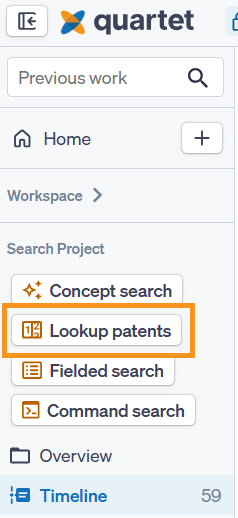
Like the other search options, Lookup patents opens in a modal, overlaying the current screen with an option to run in the background to not disturb the current screen.
Quartet supports a large number of formats within the 6 largest jurisdictions: US, WO, EP, CN, JP, and KR. Additional jurisdictions are supported but may not have as much flexibility in recognizing obscure or nonstandard number formats.
Input
Entire blocks of plain text can be copied and pasted into the search box and Quartet will automatically detect and extract publication numbers. Detected numbers will be highlighted in green.
It is also possible to include numbers without a jurisdiction code, if this is the case, simply tick the box next to "Assign country code to unspecified publication numbers", then select the relevant jurisdiction code from the drop down menu to the right of the box. Any identified numbers missing a jurisdiction code will be highlighted in pink.
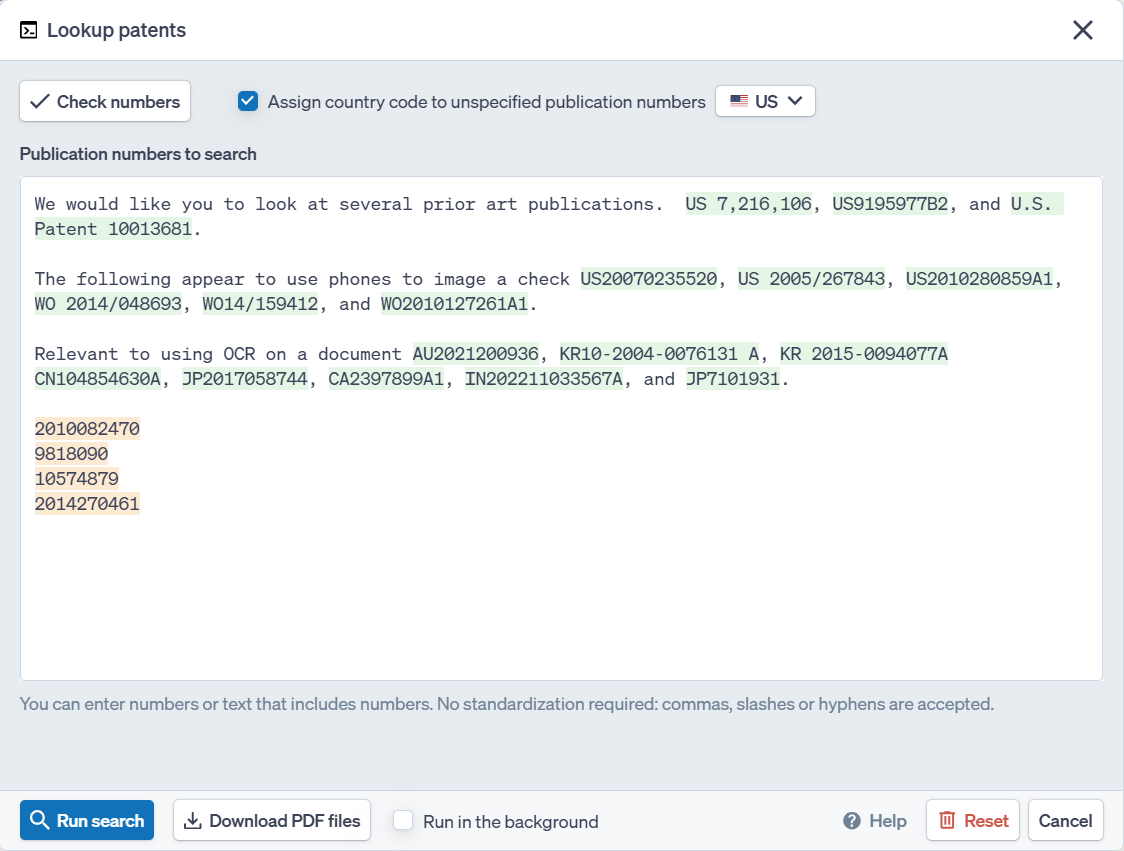
Once numbers are entered within the box, proceed by either clicking the “Check numbers” button or the “Run search” button.
Check Numbers
“Check numbers” will:
- Verify input numbers and highlight a list of any unrecognized publication numbers
- Show families grouped together from the identified publication numbers
- Show the representative data of each family, including the DOCDB family number, publication number, and title of the representative member
- Give the option to correct any numbers which the system was not able to find
Once any number errors (if any) have been corrected, "Run search" will search for the recognized numbers.
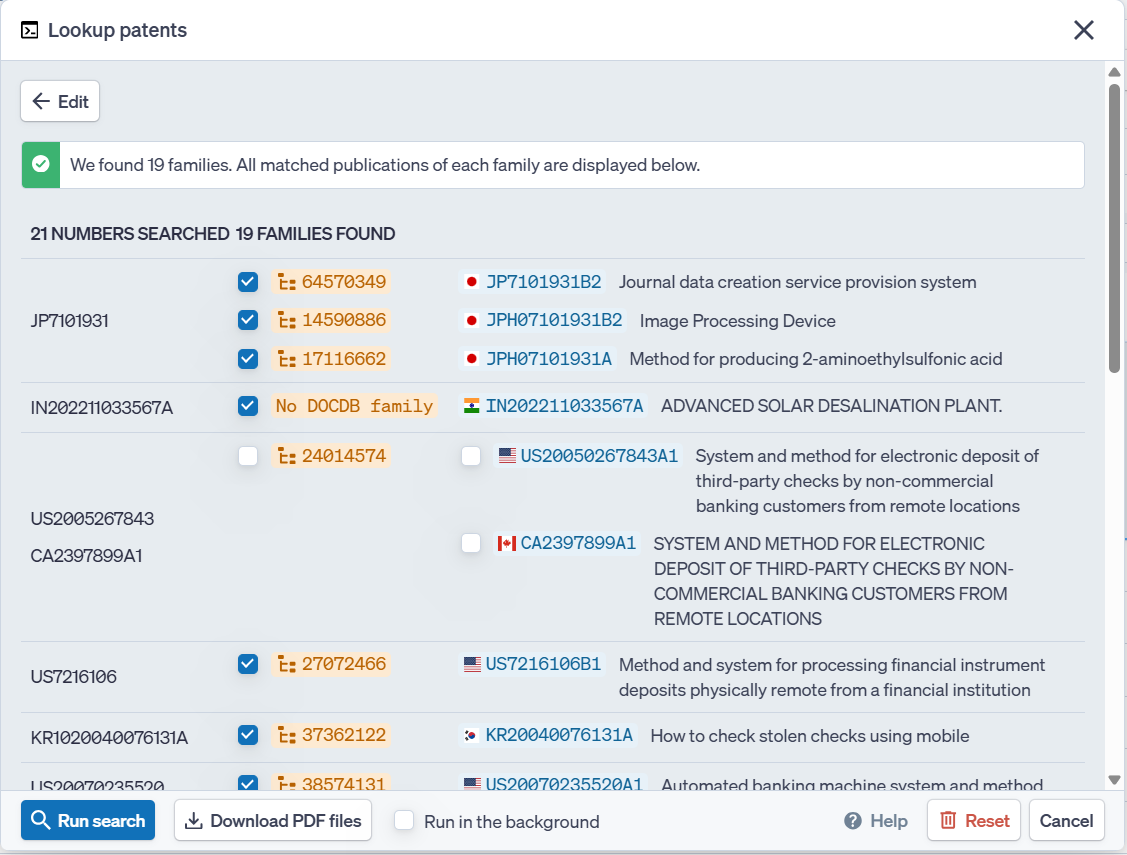
Hovering over the representative publication number will show a popup with the publication number, title, abstract, inventor(s), assignee(s), and publication date.
Run Search
Checking numbers can be bypassed by choosing “Run search.” When doing so, Quartet will still verify numbers in the background and automatically run the search query if no errors are found. If any errors are found, then Quartet will return to the number check screen to correct any problematic numbers before proceeding to run the search query.
Download PDF files
Next to the Run search button is an option to bulk download PDF files, select this to download the original PDF files for the entered publications. It is possible to download 100 PDF files at a time, which will be made available to download as zip files.
Kind Codes
When inputting publications where multiple kind codes exist under the same publication number, there are multiple ways to control which kind code publication Quartet retrieves.
The first way is to simply enter the publications numbers with the desired kind code. Quartet will retrieve the document with the matching kind code.
The second way is to enter numbers without kind codes and first hit “Check numbers”. Quartet will show a list of all published kind codes under the publication number. From the resulting list, the desired kind code may be selected.
Either way is particularly helpful, for example, when exporting documents and wanting to ensure a specific version of the document is to be searched.
Assigning Country Codes to Unspecified Publication Numbers
When inputting a list of numbers which are missing country codes, but all share the same country code, the numbers can be auto-assigned a country code by using the checkbox at the top.
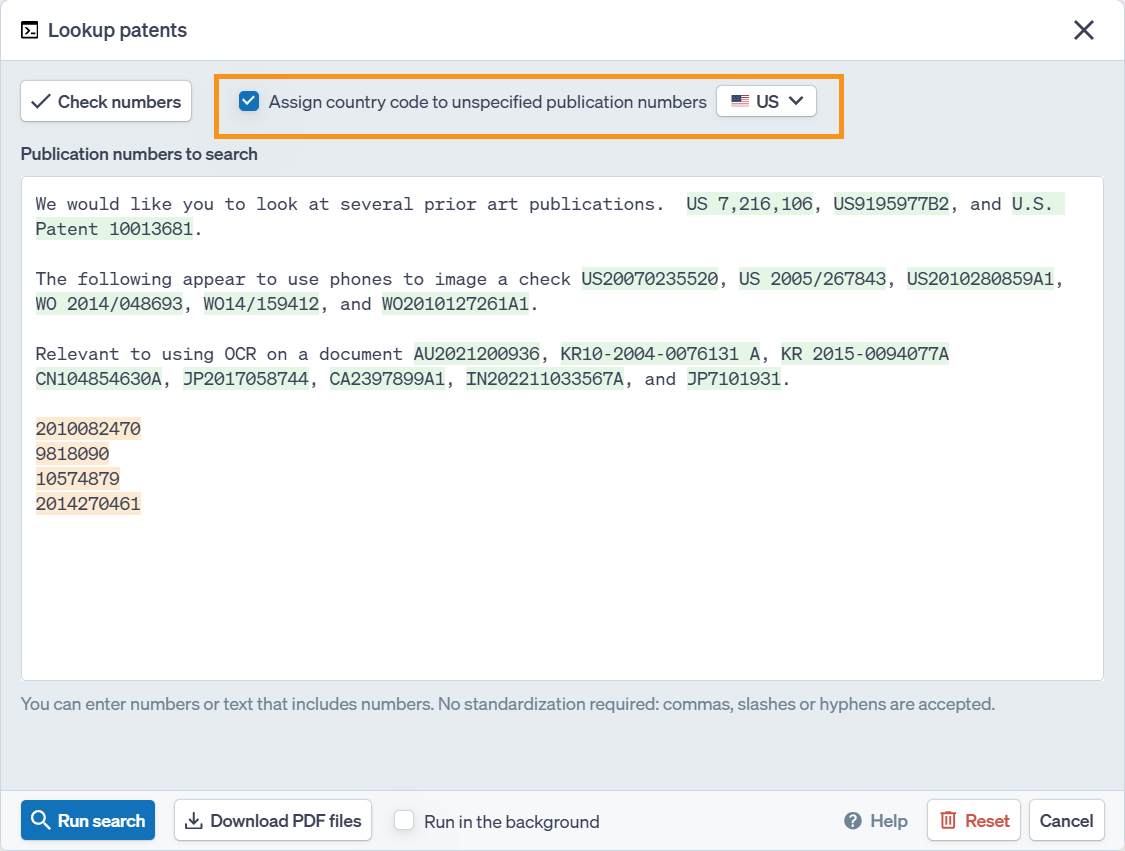
This checkbox will broaden the number recognition in the numbers search modal to include most strings of numbers, then add the country code prefix chosen (e.g. from US, EPO, China, Japan, Korea, or WO) and search for those numbers. Numbers which will be considered and the prefix added will be highlighted in orange. Please note that checking the box for assigning country codes expands what Quartet considers patent numbers and can lead to extra numbers being picked up.