
Setting up an Archive
To setup an Archive, navigate to the relevant Workspace, and toggle on Archive under the Share settings on the right hand side.
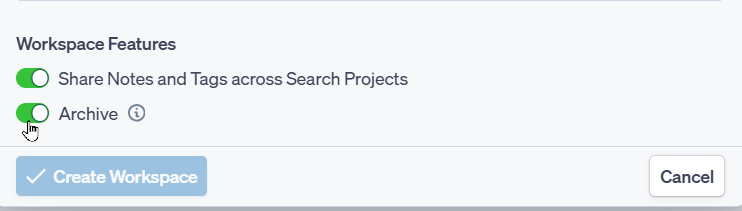
Alternatively, when setting up a new Workspace, toggle on the Archive option towards the bottom of the pop up:
Only the Workspace Owner(s) can setup an Archive.
For more information on Workspaces, please visit this article.
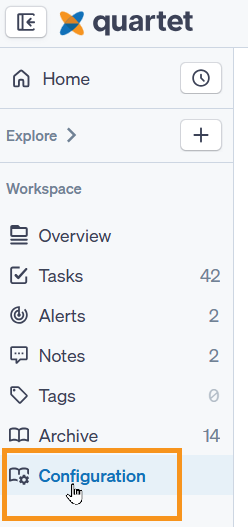
Once Archive has been enabled on a Workspace, two additional options will appear in the navigation pane on the left:
- Archive - the collection of all records tagged
- Configuration - This option is only available for the Workspace owner(s)
Configuring an Archive
To create and edit Archive fields, go to the Configuration tab at the bottom of the Workspace navigation pane.
For each field enter the Field title, which will be displayed on the record.
At the bottom of each field there are two options available:
- Mandatory field - ensures the field is filled out when adding a publication to the archive
- Show in Archive view - this will display the field on the record
- Show in Archive Filters - this will allow the field to be used as a filter when reviewing records within the Archive
- Show and Search in Archive view - this will both display the field on the record and include it to be searched, when searching/filtering the archive
Available Field types
Short answer:
This is a free text field, limited to 100 characters.
Long answer:
Similar to the Short option answer, however limited to 1000 characters. Additionaly text can be bolded, italizised and underlined. It is also possible to include links in this field type.
Date:
Use this field to include a date on the record, this could be patent expiry date, review date or any other date that is useful.
Single select:
Allows one value to be selected from a predifined list of options.
Multiple select:
Allows more than one value to be selected from a predifined list of options.
Categorization:
Provides a hierarchical structure to organizing records. This enables information to be classified from broader categories down to specific sub-categories.
Example
- Driverless
- Train
- Car
- Electric
- Hybrid
- Fuel
Each field can be dragged and dropped to a different position by clicking and securing the dots to the left of the Field type.
For fields with multiple options, like the categorization, it is also possible to move the position of the individual fields by dragging and dropping.
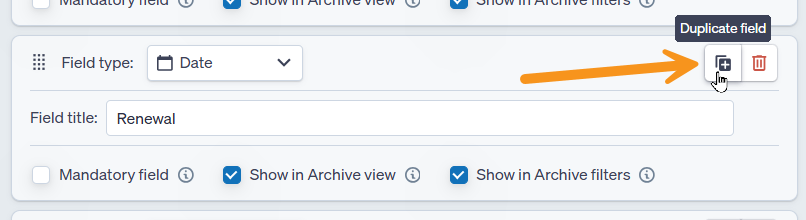
it is possible to duplicate a field by clicking the Duplicate field button in the top right hand corner of the field:
In the top right hand corner of the Archive configuration page it is possible to view a Preview of the setup, simply click "Preview Analysis" to see how the configuration will appear on a record.
Editing the Archive Fields
To edit an archive field simply change the entry in the relevant box. Any changes will also update on the field on any records it has been assigned to.
For bulk updates, please contact support on support@ensembleip.com